Remote Phone Fix
Get your public IP address
- Go to https://whatismyipaddress.com/
- Screenshot the website, and send it to Shayne.
Example:

Edit Phone configuration
Find your phones IP address. Push the “X” button on your phone, then push the “checkmark” or “OK” button. The ip address might be labeled as “IP Address” or “ipv4”.
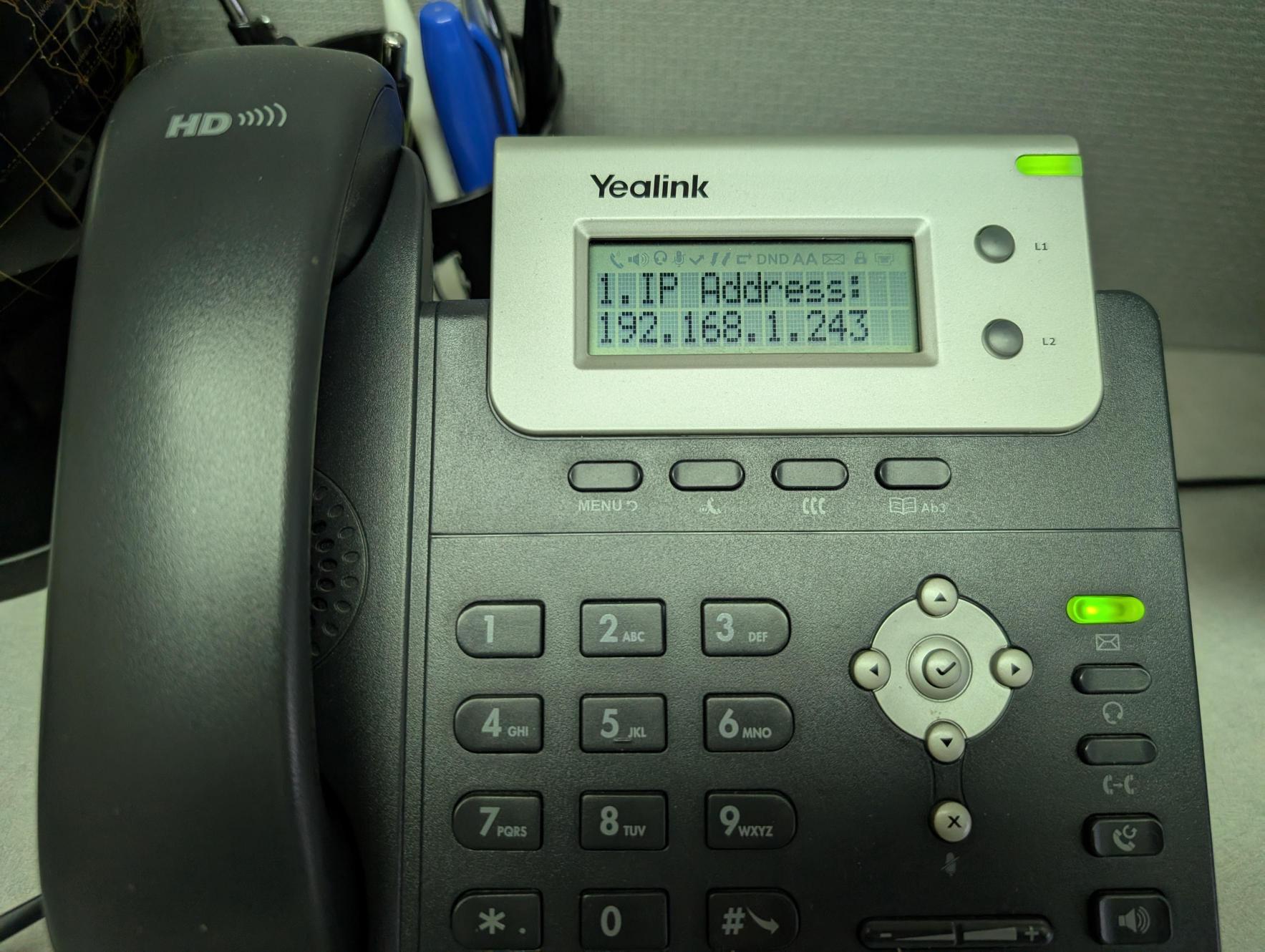
Open Google Chrome (from your computer, NOT inside Remote Desktop)
Enter the IP address of your phone
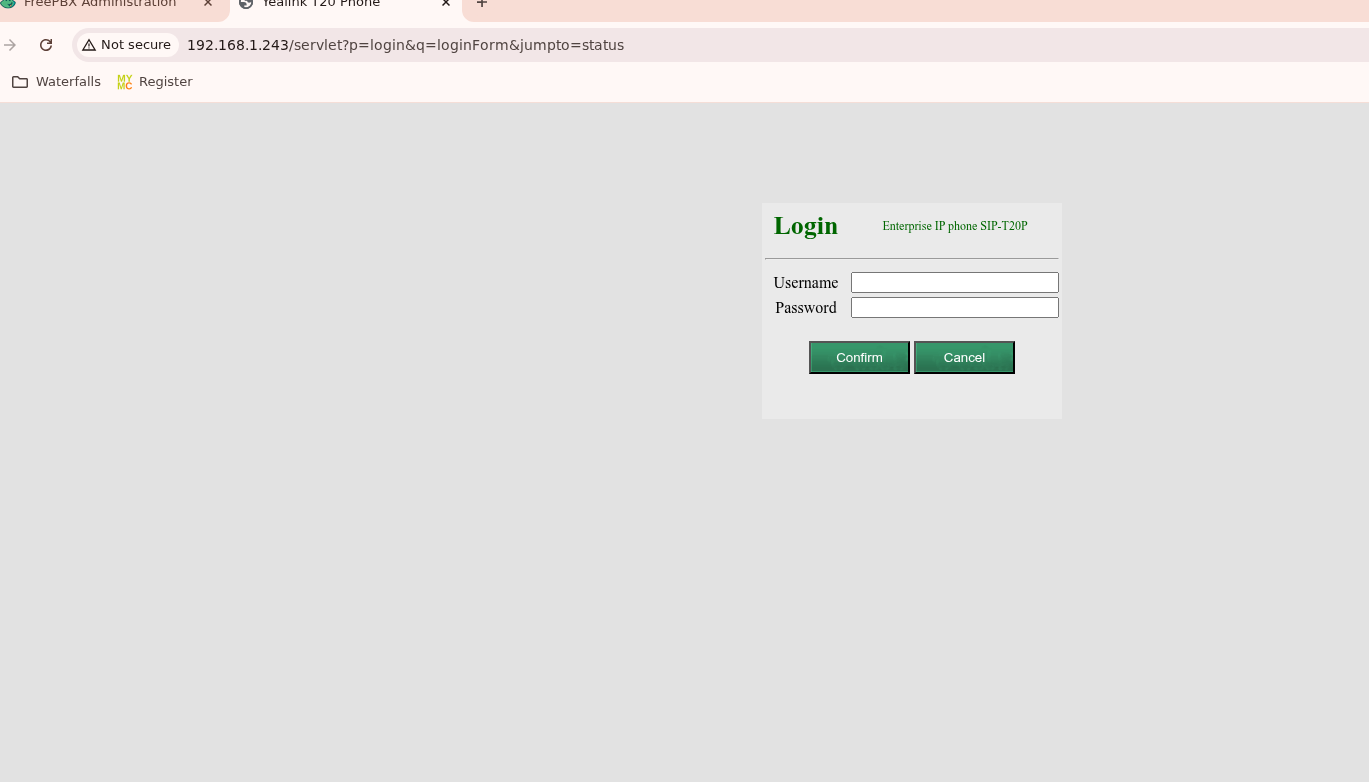
Login (username: admin, password: 11381138)
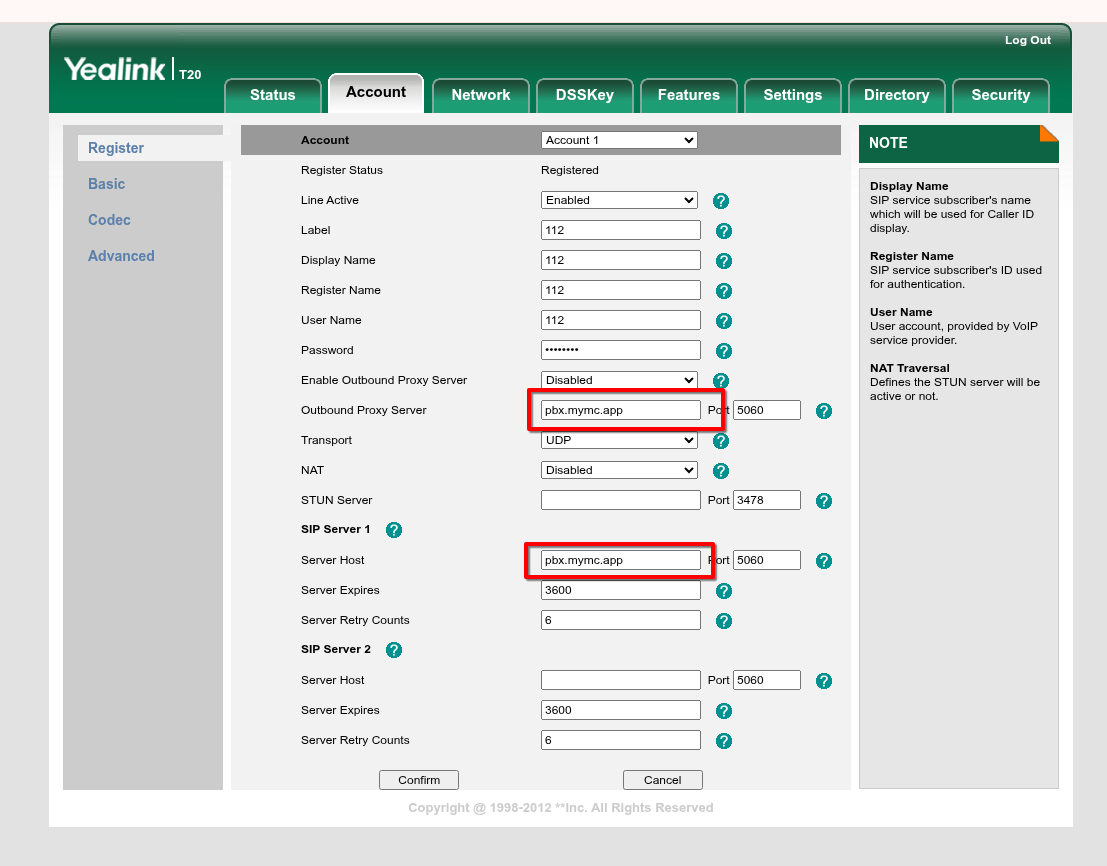
On the account tab, change the “Server Host” and “Outbound Proxy Server” to pbx.mymc.app. Then click “Confirm”.
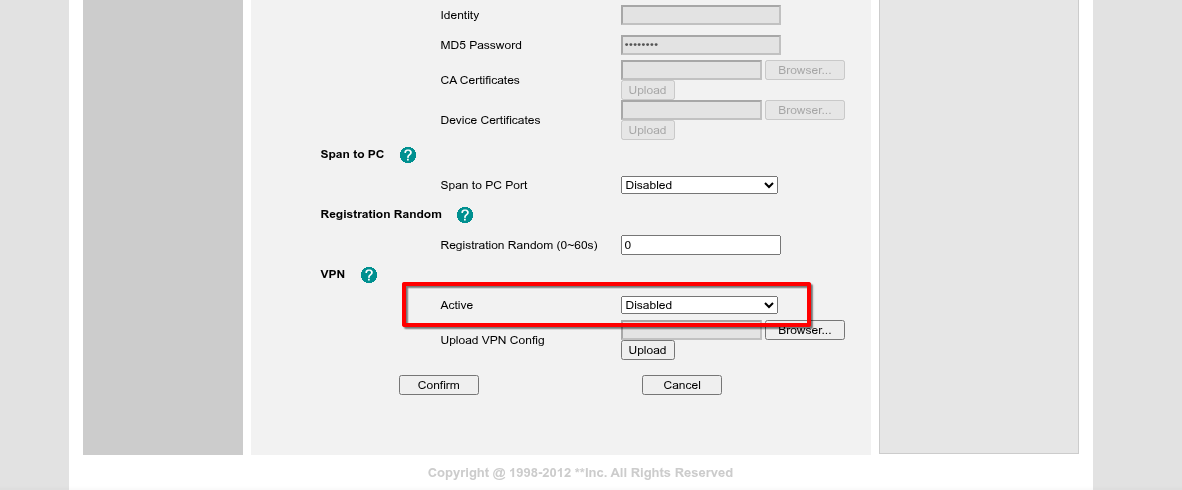
On the Network tab, under advanced, scroll down to vpn, set it to “Disabled”. Then click “Confirm”.